


Floor · sold on its own, no app needed
Restaurant POS system,
with a handheld for the waiter
The till, the floor plan, the kitchen and payments in one place. You pay by number of devices, and what you take by card goes to your bank, not ours.
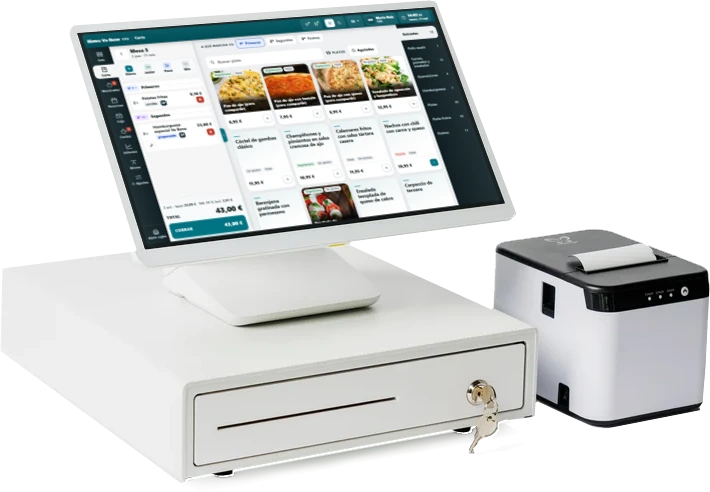
10″, 15″ or 22″ touchscreen
A day with it
From opening the till to cashing up, without leaving the screen.
You open up in your own name
The till doesn’t open by itself: a person opens it with their PIN, counting what’s inside. From then on, every payment and every cash withdrawal is recorded under their name.
The waiter takes the order at the table
Handheld in hand, standing at the table. No jotting it down on paper and keying it in again at the bar, which is where dishes go missing.
The kitchen gets only what’s theirs
Every dish has its section (oven, hot, cold, bar) and its course: starters, mains, desserts. Mains go through when someone fires them, not when they were ordered.
You take payment, and the till balances
The invoice gets its number when you take payment, not when you open the table. At the end of the shift the drawer is counted note by note and coin by coin, and compared with what should be there.
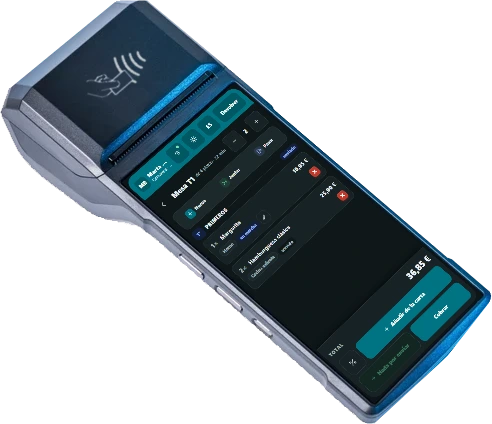
The waiter’s handheld. Every line shows which kitchen section it goes to and what state it’s in (fired, served), so nobody has to go and ask.
What it solves
The three things that jam up at half past two.
“There are four of us and we’re paying separately.”
One table can have several bills at once. You open a new one, move across the lines of whoever is leaving, and each bill is paid and invoiced separately. No more doing sums on a napkin.
“At the end of the shift the till doesn’t balance.”
The cash-up is counted by denomination (notes and coins), not by eye. And a payment only goes into the cash-up if it records which till it was taken on: the cash your delivery driver brings back isn’t in your drawer, and shouldn’t be balanced against it.
“Who took that dish off the bill?”
Nothing disappears quietly. Removing a line needs a reason (one of them is on the house), and everything is recorded under the name of whoever did it, with the time.
In detail
Three screens you’ll look at every day.
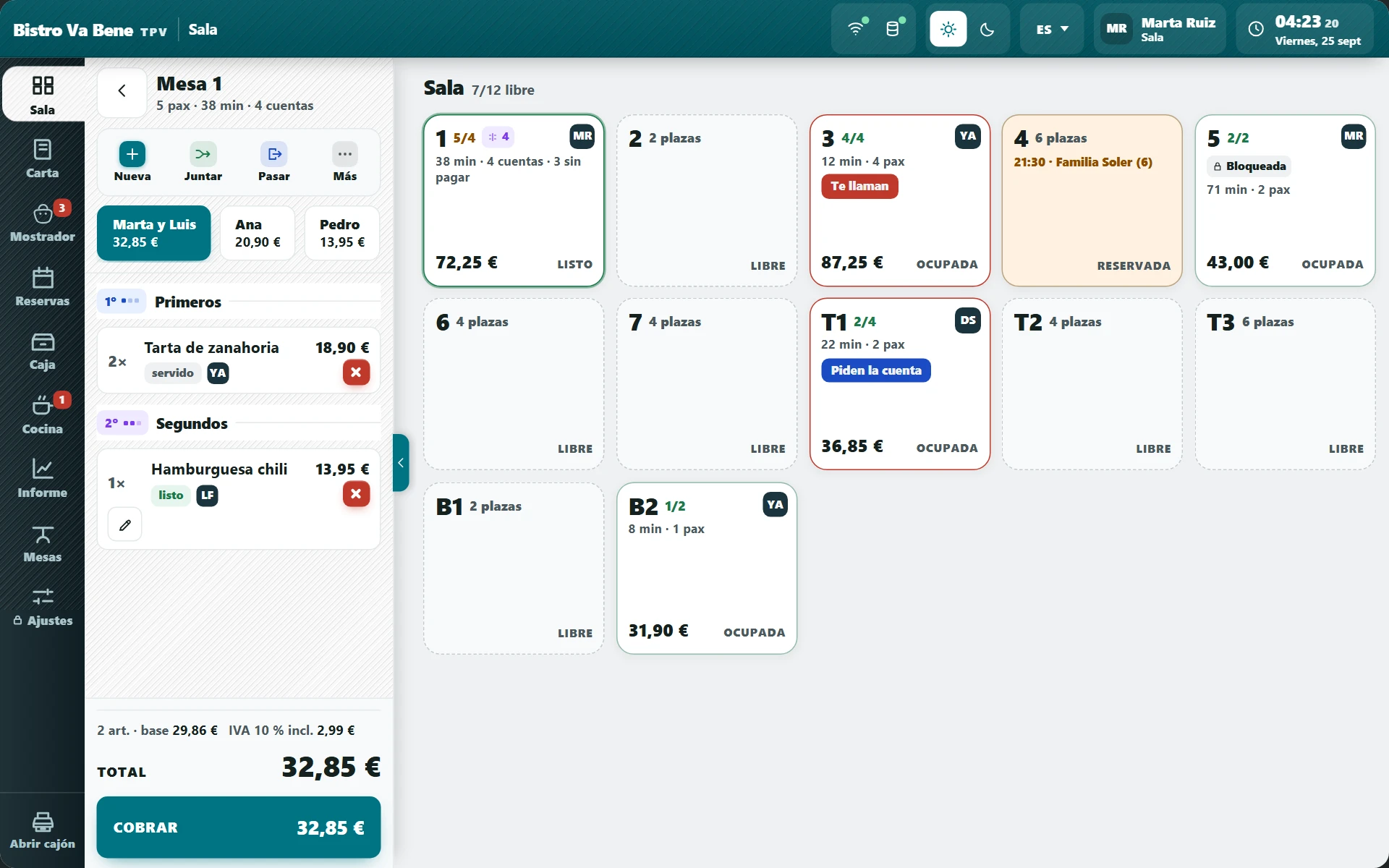
A table’s bill. Discounts are 5, 10, 15 or 20% and always carry a reason: that way the monthly report explains why €180 is missing, instead of leaving you to guess.
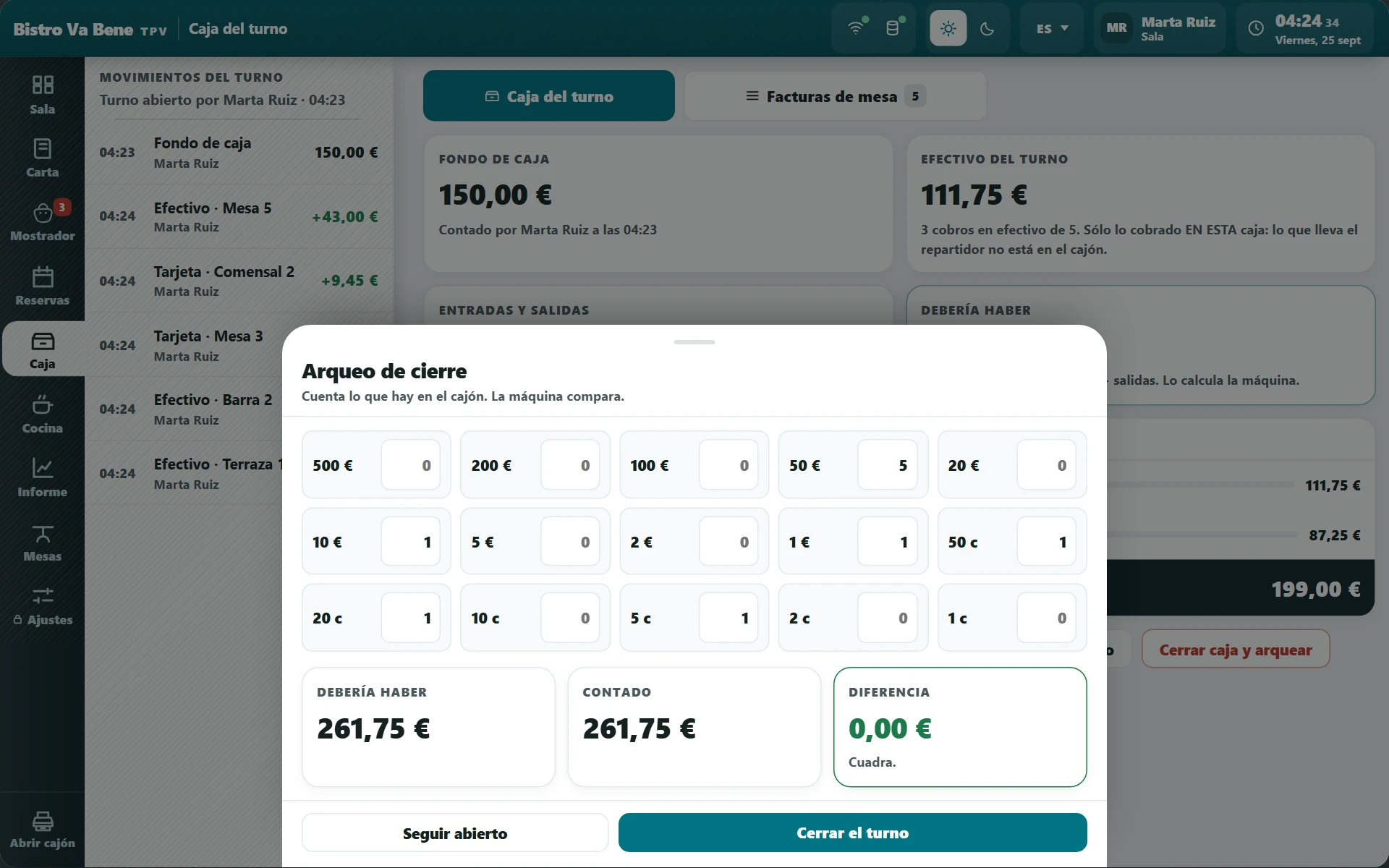
Closing up. What’s in the drawer is counted note by note, and the POS shows the difference from what should be there. If there’s too much or too little, it gets recorded: a discrepancy nobody writes down is a discrepancy that happens again.
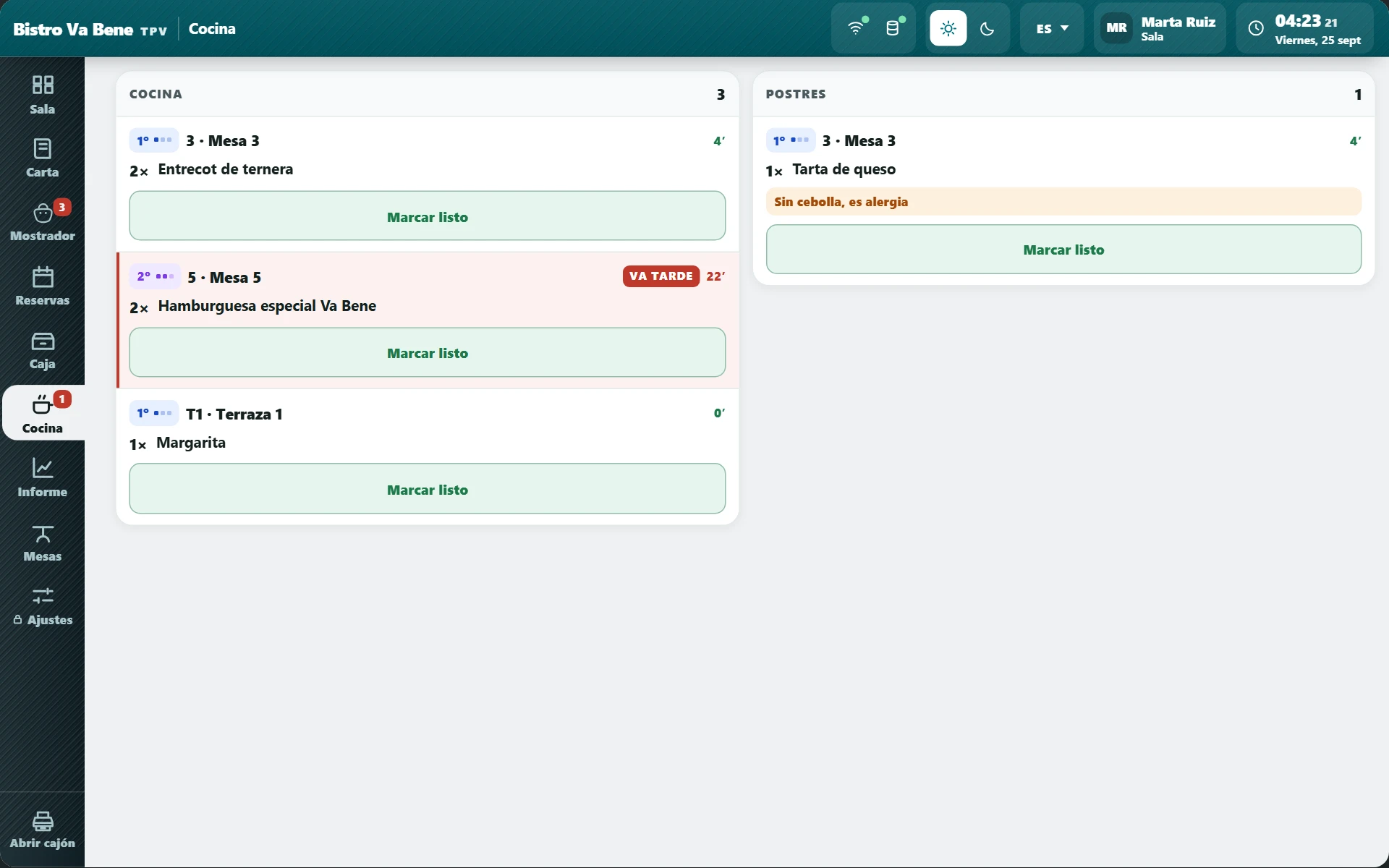
The kitchen at a glance. From the till you can see every dish in its section and what state it’s in, so nobody asks “has this gone out yet?”.
What it doesn’t do
Four limits, straight from us.
We’d rather you found out here than in your second week.
It doesn’t split the bill evenly.
It splits by what each person had: lines are moved to another bill. If what you want is “the total divided by four”, you’ll have to work that out by hand.
A bill is paid one way only.
There’s no “half by card and half in cash” within the same bill. If you need to, split it into two bills and take each one however it’s being paid.
No free-percentage discounts.
Discounts are 5, 10, 15 or 20%, and always with a reason. A free percentage ends up being the door your margin slips out of without anyone noticing.
It doesn’t do stock or recipe costing.
It tells you what you sell, not what’s left in the cold room. Purchasing and inventory control aren’t in here, and we’re not going to say they are.
How it fits in
It works on its own. And even better alongside the rest.
The floor module is sold on its own, without the app. But if you add the rest one day, nothing needs setting up again: it’s the same system and the same menu.
QR table menu
The customer looks at the menu on their phone while the waiter takes the order on the handheld. One menu for both.
Orders and delivery
Delivery and takeaway orders count in the same sales report as the dining room’s.
Staff
The same PIN that opens the till is used to clock in, and the hours clocked are compared with the rota without typing them in twice.
What you need
What you need in the venue.
The till
A 10″, 15″ or 22″ touchscreen. An all-in-one works, or a tablet on a stand.
The handhelds
One per waiter taking orders. A small tablet or a handheld device.
Printer and drawer
A 58 or 80 mm thermal printer for kitchen tickets and invoices, and the cash drawer if you take cash.
The card machine
Yours, from your bank. What you take by card goes straight into your account: we don’t touch that money.
FAQ
What people ask us about the floor.
Can I get just the floor module, without the app?+
Yes. It’s sold as a product in its own right. Plenty of bars don’t want delivery or ordering by phone: they want a till that works and a few handhelds. You can have that with nothing else attached.
Can I take takeaway or phone orders on the till?+
Yes. The till includes the Counter: on the same device you use to charge tables you take takeaway and phone orders, and they go to the kitchen like any other order.
How much does it cost?+
The floor is paid for by number of devices: a bar with one till doesn’t cost the same as a restaurant with one till and four handhelds. Ask for the demo and we’ll tell you your price, with no commission per ticket.
Does it work for a company lunch that asks for a full invoice?+
Yes. Above €3,000 Spanish law no longer allows a simplified receipt, so the POS asks for the name, the tax ID (NIF) and the address before closing. Below that, you can also issue a full invoice whenever the customer wants one.
Can you see who did each thing?+
Yes, and it’s one of the things people appreciate most. Every payment, every void, every discount and every cash withdrawal is recorded with the name of whoever did it and the time. Not to keep tabs on anyone: so that a discrepancy can be explained.
Do I have to change my card machine?+
No. You stay with yours and with your bank. Card money goes into your account as it does now; we charge a flat fee and don’t touch your takings.
And if I already have a cash register?+
You can run both for a while, but it doesn’t make much sense: you’d end up with sales in two places and two end-of-day totals that don’t match. In the demo we look at what you have and tell you whether it’s worth switching now or waiting.
The demo
We’ll show it to you with your own menu inside.
Half an hour, no strings attached and nothing to install. If it’s not right for you, we’ll tell you.