


Orders · delivery and the menu included
Delivery orders
with no commission per order
Your customers order in your app, not on a portal. You pay a flat monthly fee: not a cent per order, and the customer is yours.
A day with it
From the customer’s phone to their front door.
The order comes in
It sounds in the panel and appears on its own, with nothing to refresh. If you prefer, you decide whether orders are accepted by hand or go straight through — and you can set that separately for delivery and for collection.
The kitchen ticket prints
The ticket comes out of the kitchen printer without anyone sending it, with the lines in the order of your menu, not the order the customer happened to tap them.
Your driver takes it out
You assign them the order and it lands in their app. They mark when they pick it up and when they deliver it, and the customer sees it in theirs.
You cash up for the day
At closing you have sales by channel and by payment method, and your drivers’ cash isn’t mixed up with what’s in your drawer.
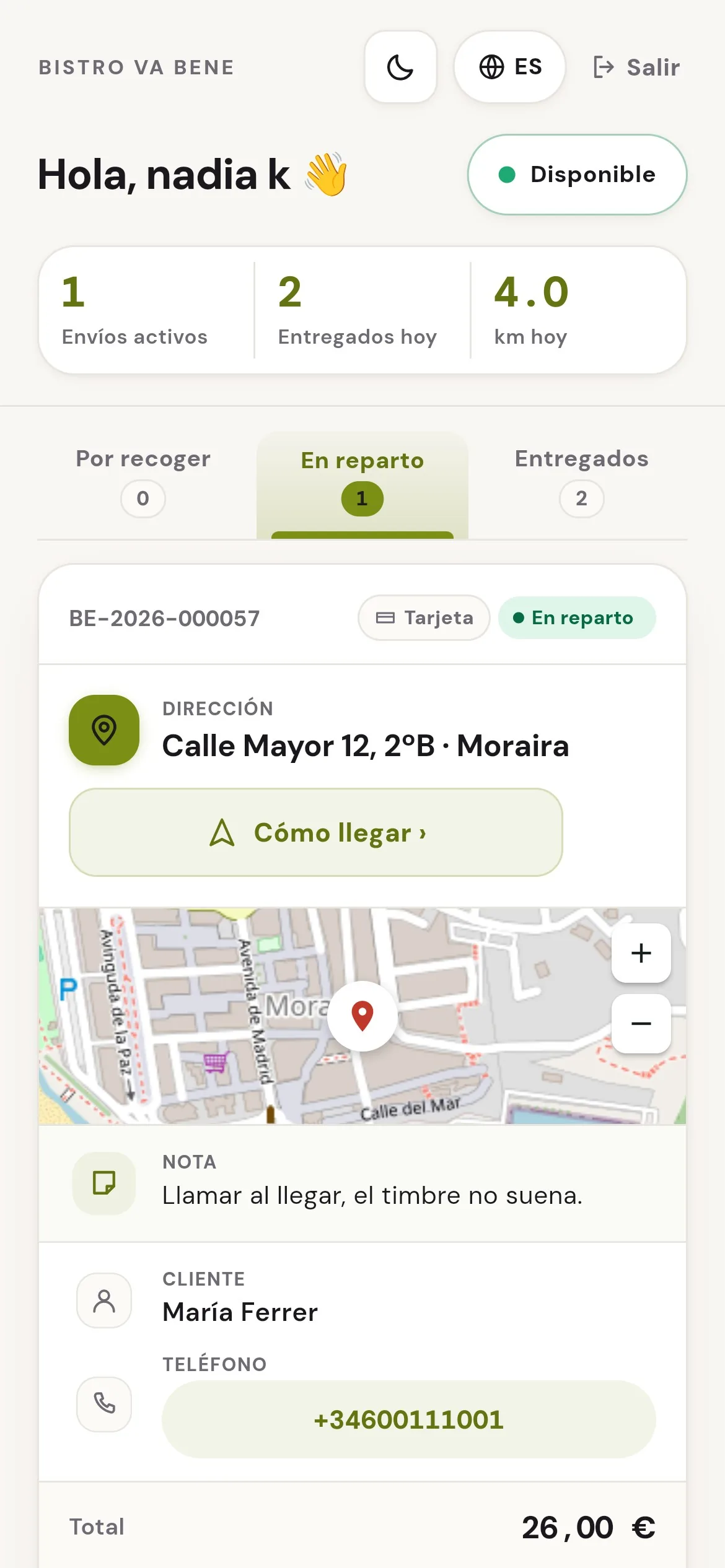
Your drivers’ app. It isn’t a delivery platform: they’re your staff, under your brand, and the route opens in the map app they already use.
What it solves
What is actually costing you money.
“The portal takes 30% of every order.”
Here you pay a flat monthly fee and nothing per order. Past a certain volume the difference isn’t a saving: it’s the whole month’s margin.
“The customer who orders through the portal isn’t mine.”
In your app the customer is yours: their name, their phone and what they ordered last time. The day you stop paying us, that list is still yours.
“I write the phone orders down on a bit of paper.”
The Counter is the same screen for orders that come in by phone or in person: you enter it once, the kitchen ticket prints and it counts in the reports like any other.
In detail
The order, start to finish.
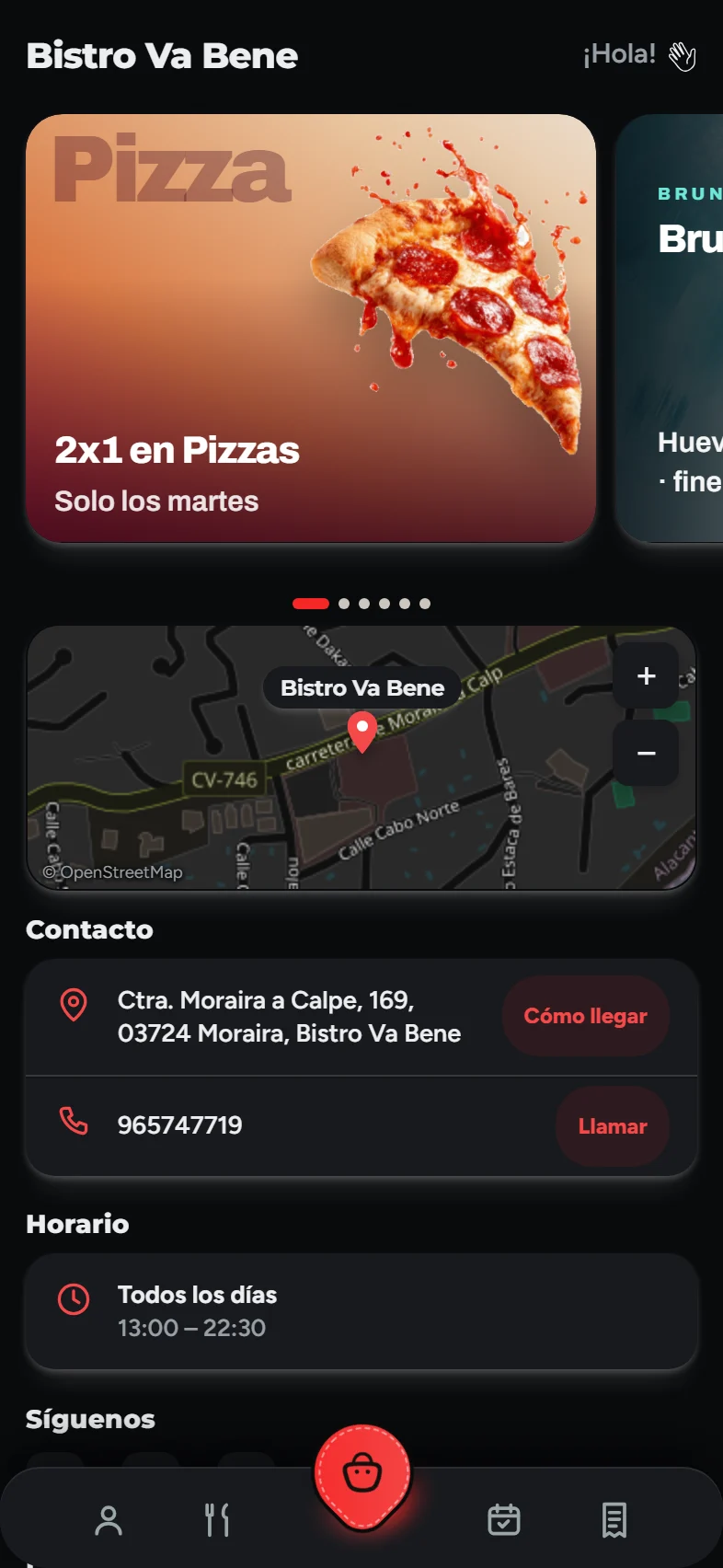
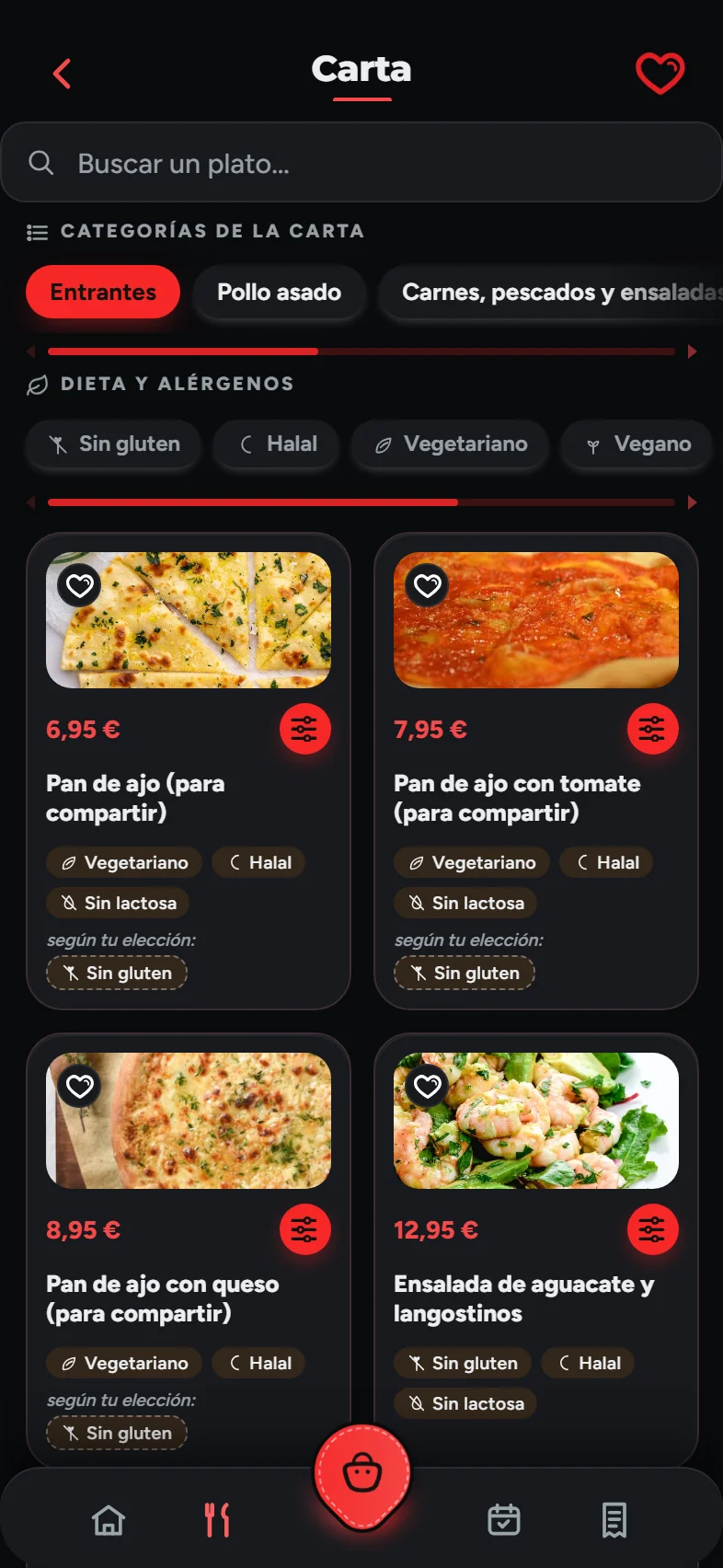
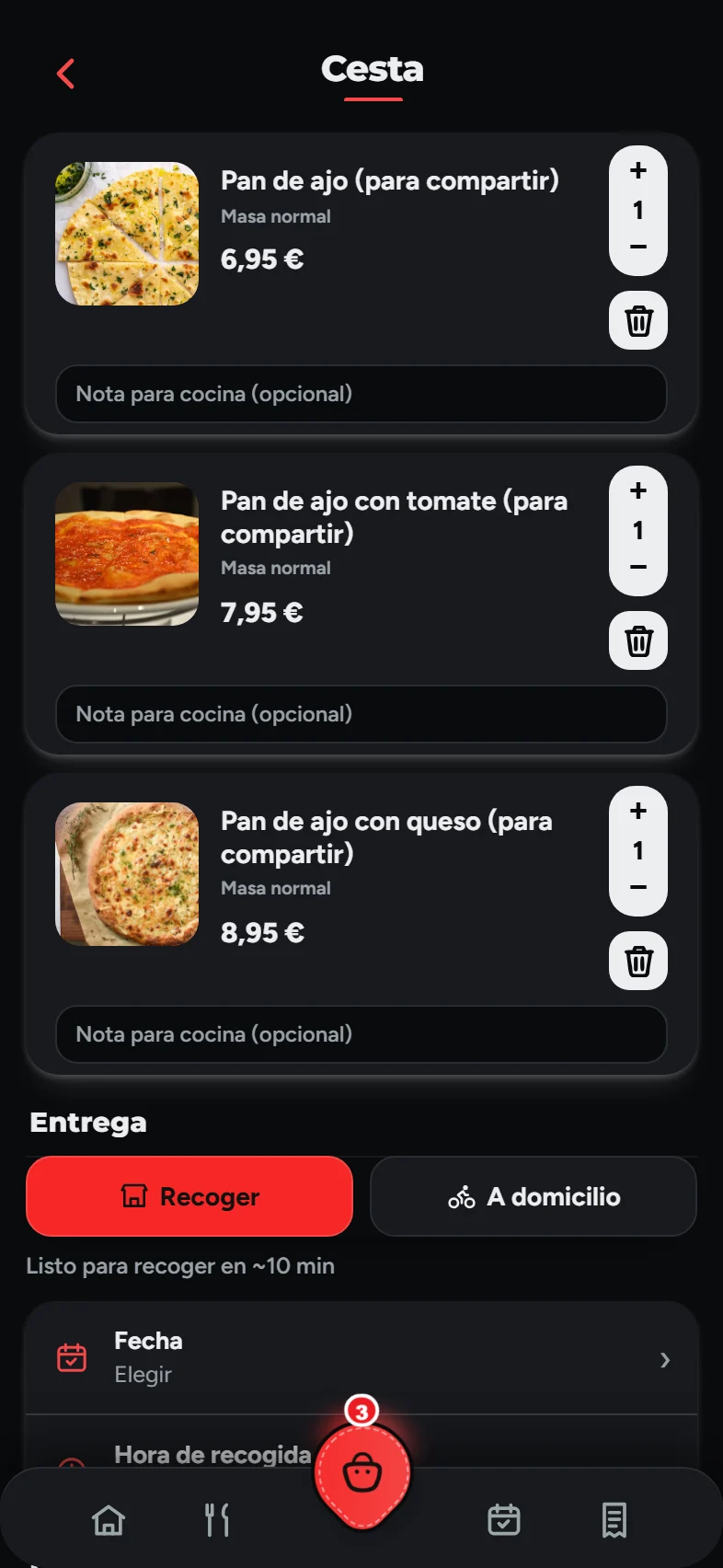
It starts on your customer’s phone: they order from your restaurant’s own app, with your menu and your photos, and choose delivery or collection. If the time slot they want is already full, the app offers them another.
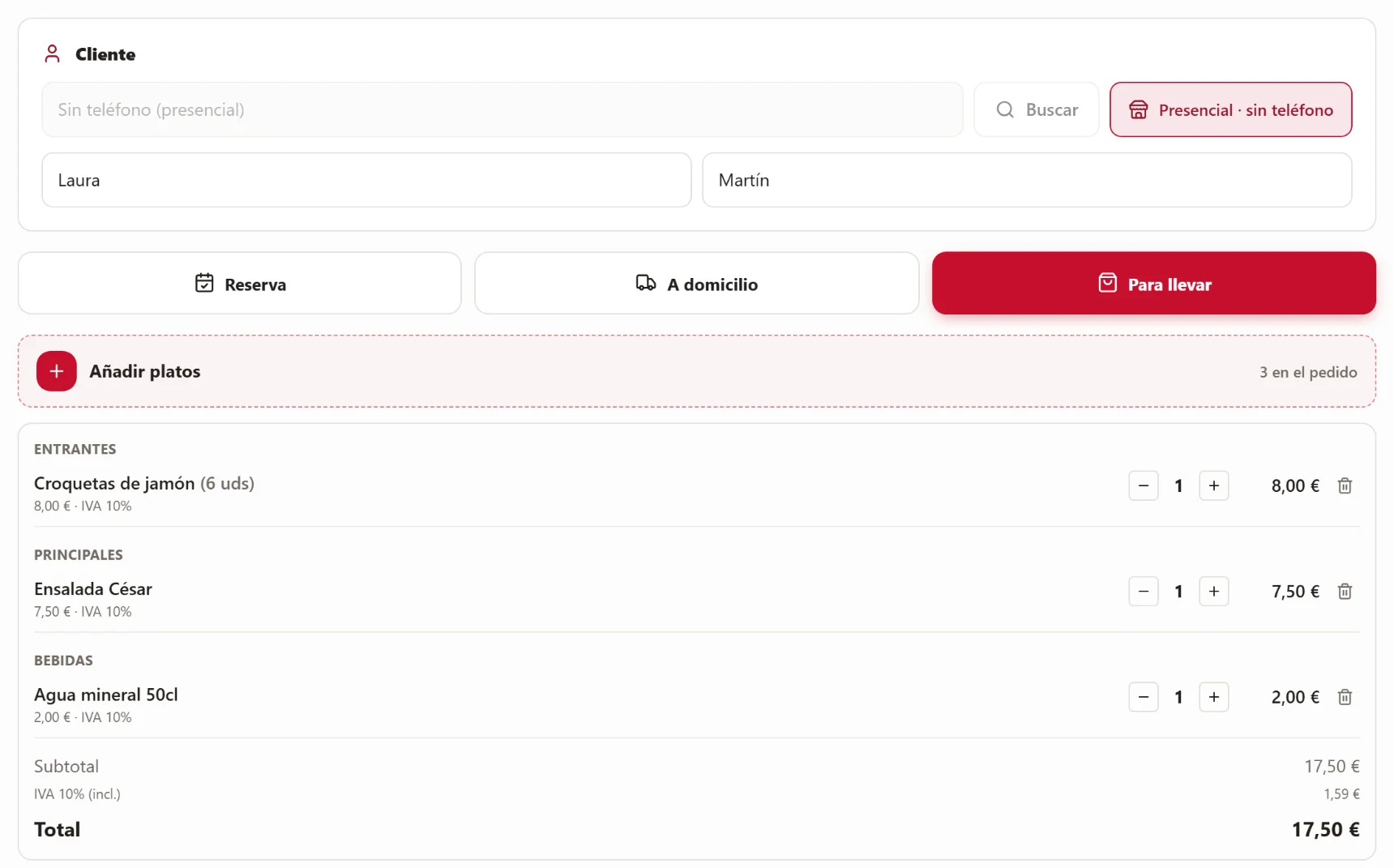
And anyone who phones or orders at the bar gets in too: the order goes on the Counter, which is on the POS till, in the panel and on the phone of whoever is serving. Same menu, same prices: the kitchen ticket prints and it counts in your reports like any app order.
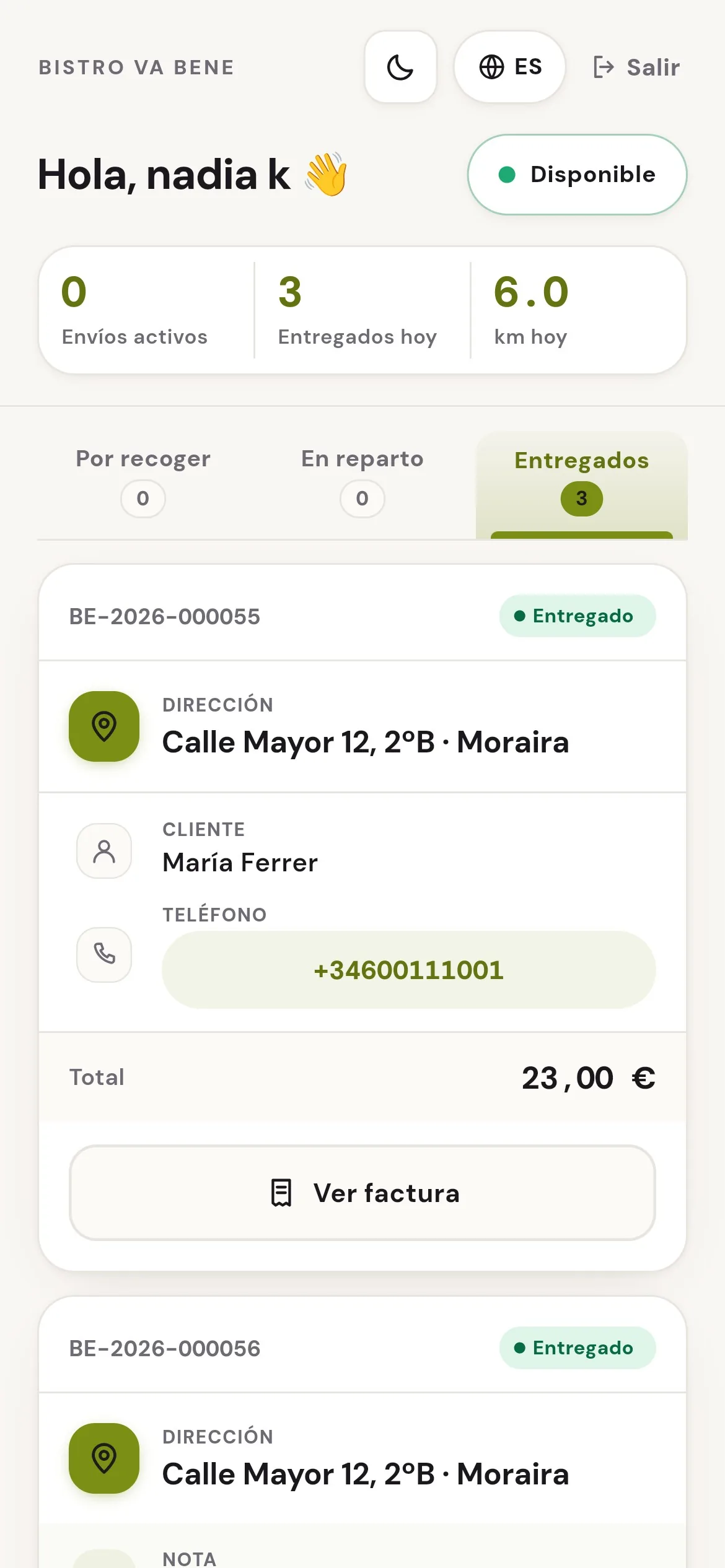
The driver taps “Delivered” and the customer knows there and then. Nobody phones to ask whether the order has left.
What it doesn’t do
Four things worth knowing beforehand.
We’d rather you found out here than in your second week.
We don’t bring you customers.
We’re not a portal: there’s no shop window with a hundred restaurants where people find you. The customers in your app are the ones you bring there yourself, and that’s exactly why we don’t charge you commission.
We don’t provide drivers.
Your own people do the delivering, with their app. If you have nobody to deliver, this module won’t solve delivery for you: it solves managing it.
The card money is yours, and so is the hassle.
Online payments go into your Stripe account, not ours. We don’t touch it — and we don’t answer to your bank either if a customer files a claim.
It doesn’t do stock.
It knows what you sell, not what you have left. Marking a dish as sold out is up to you; nothing is deducted from stock, because there’s no stock system.
How it fits in
The order is only one part of the service.
Orders come with the menu included. The rest gets added when you need it.
The menu
It’s included: it’s the same menu people see in the app, at the table and for collection, with whatever you decide for each one.
POS and handheld
If you also have the POS, street orders and table orders end up in the same sales report.
Staff
If your drivers are on your payroll, you add them in Staff too and they clock in like everyone else.
What you need
Less than it looks.
Your menu and your logo
With that we build the app and the panel. You don’t have to touch a thing.
A phone or a tablet
To watch the orders come in. The one you already have at the bar will do.
A kitchen printer
Optional, but it changes the service: the ticket prints itself instead of someone shouting it. A 58 or 80 mm thermal printer, connected to a computer in the venue that stays switched on.
Somebody to deliver
Your usual driver. They install their app on their phone and sign in with the restaurant code and their personal code.
FAQ
What people ask us about orders.
Is there really no commission per order?+
No, there isn’t. You pay a flat monthly fee, and it makes no difference whether you do 20 orders or 2,000. Online card payments do have a cost, but it’s charged by Stripe on your own account, not by us. Verification text messages (SMS) are billed separately, as set out in the terms.
Can I accept the orders by hand?+
Yes, and separately for each type. Some restaurants want to confirm delivery orders but let collection go straight through: you can set it up that way.
What happens on a Saturday at nine, when I can’t cope?+
You turn on “we’re slammed”: the app promises more time while the rush lasts and switches itself off. Nobody has to remember to turn it off.
How far can I deliver?+
You decide: you draw your zones or set a radius in kilometres, with a delivery fee and a minimum order for each band. Beyond that, the app tells the customer they’re outside the area instead of accepting an order you’re not going to deliver.
And orders over the phone?+
They go on the Counter, which is the same screen. The order goes through to the kitchen and counts in the reports just like an app order — and from Customers you can send them your app link by WhatsApp, so next time they can order on their own.
The demo
We’ll show you your app with your menu inside.
Half an hour, no strings attached and nothing to install. If it’s not right for you, we’ll tell you.