


The menu · included with Orders
Digital menu with allergens,
extras and six languages
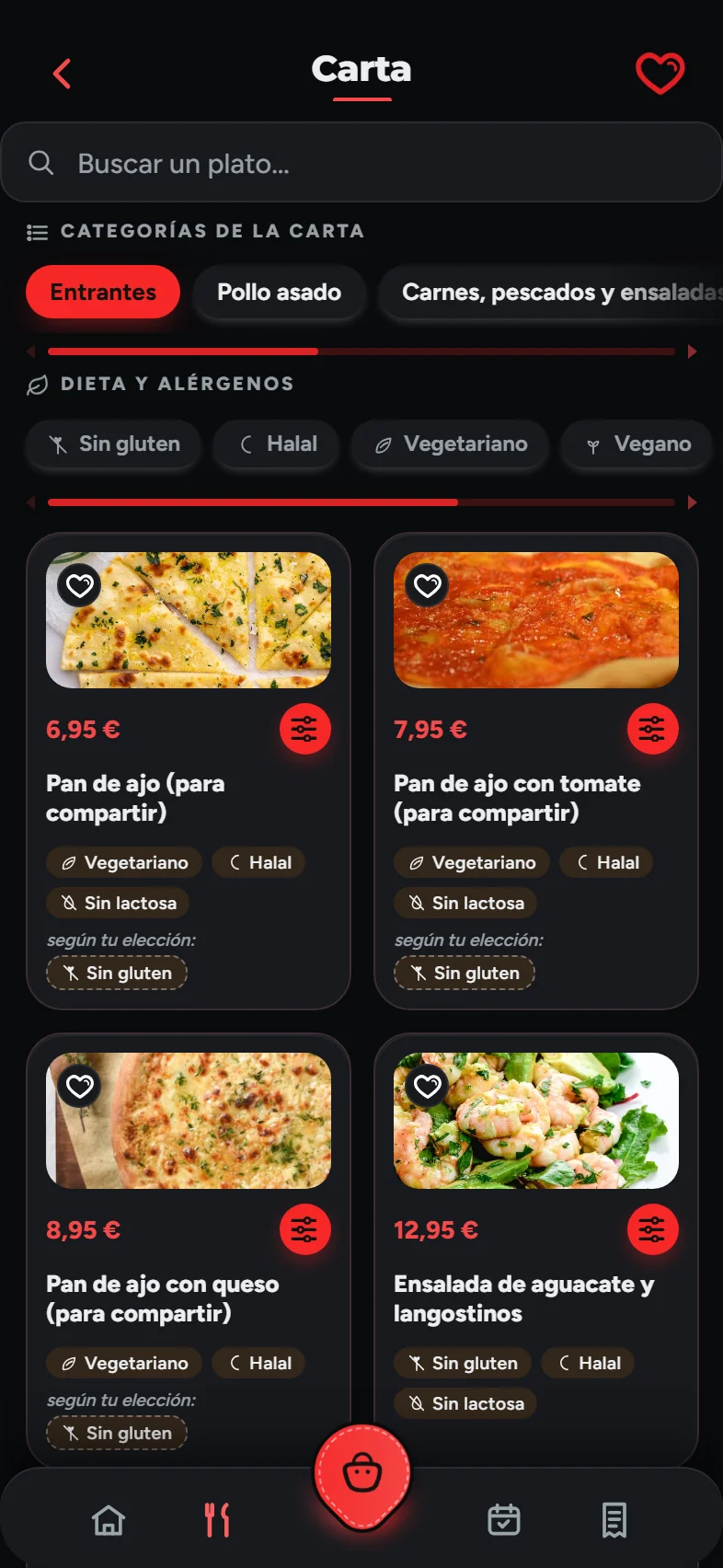
One menu for the table, for collection and for delivery. Change a price once and it changes in all three — and you decide which dishes appear in each.
A day with it
A dish, from writing it up to someone ordering it.
You write it once
Name, description, price and photo. Allergens and diet tags are ticked right there, and they appear wherever that dish is shown.
You say what the customer can choose
Sizes with their prices, extras that cost more, and what comes with the dish and can be left out (no onion, no sauce), which costs nothing because leaving something out isn’t a discount.
You choose where it appears
A family meal deal can be delivery-only, and the set menu of the day table-only. One menu, three faces.
You publish
Until you publish, customers keep seeing the previous version. You can leave the menu half done on a Tuesday morning without anyone noticing.
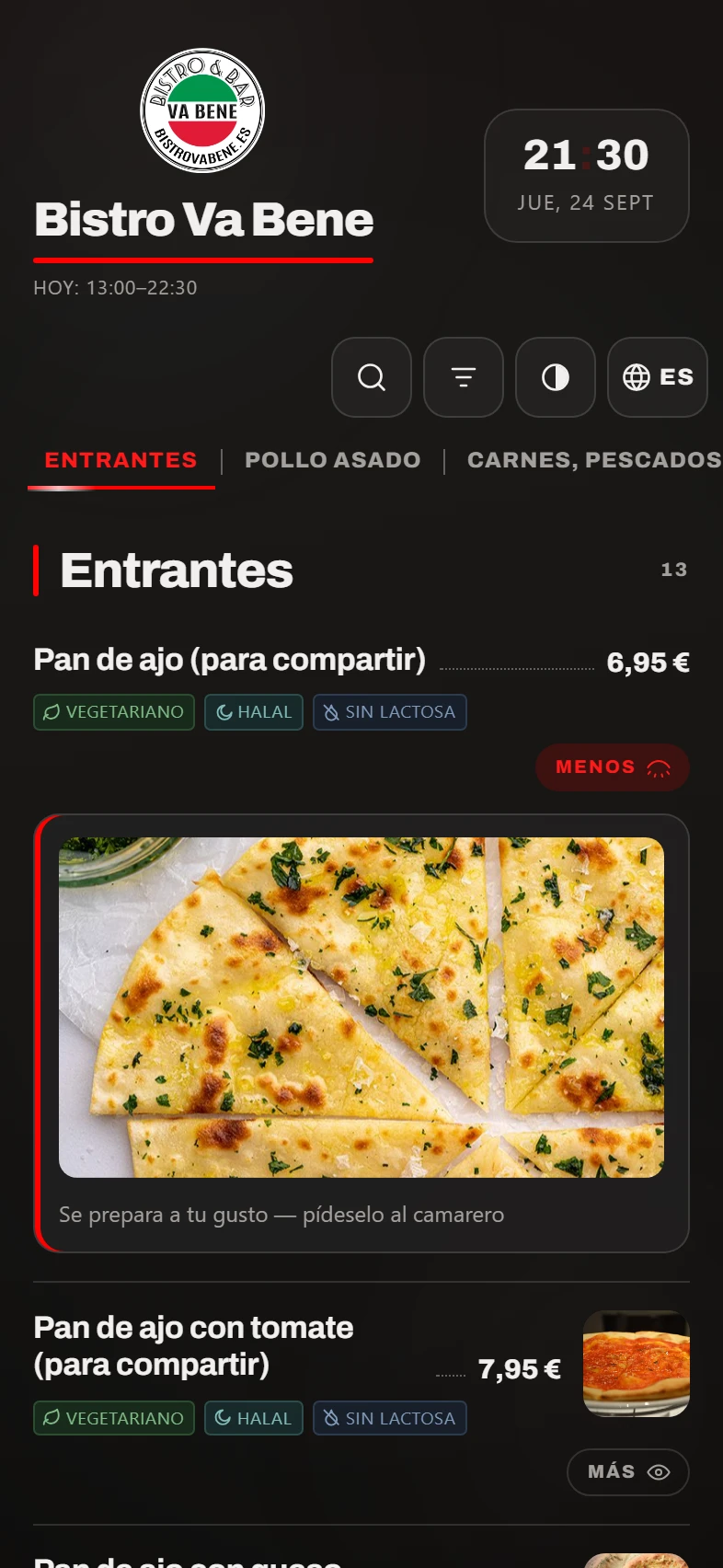
The dish page exactly as the customer sees it in the app, with what they can choose (here, the pizza base) and the up-to-date price. What you write once in the panel shows up here, in the QR menu and on the waiter’s handheld: one menu to keep up to date.
What it solves
Three menu headaches that end here.
“I’ve got three menus and they never match.”
There’s one. The table, collection and delivery menus are the same menu, minus whatever you decide to leave out of each. A price is changed in one place, unless you want the table to have its own prices.
“Translating the menu costs me a fortune.”
It’s translated from the panel into all six languages, and you can correct whatever comes out before publishing it. Anything still untranslated is flagged, so no dish slips through.
“I got the VAT on the drinks wrong.”
VAT is set per dish and by channel: something charged at one rate at the table may be charged at another for delivery. It isn’t a box you fill in by guesswork: the system sets the rate according to the product and the channel, as the law says.
In detail
What the customer sees, and what you control.
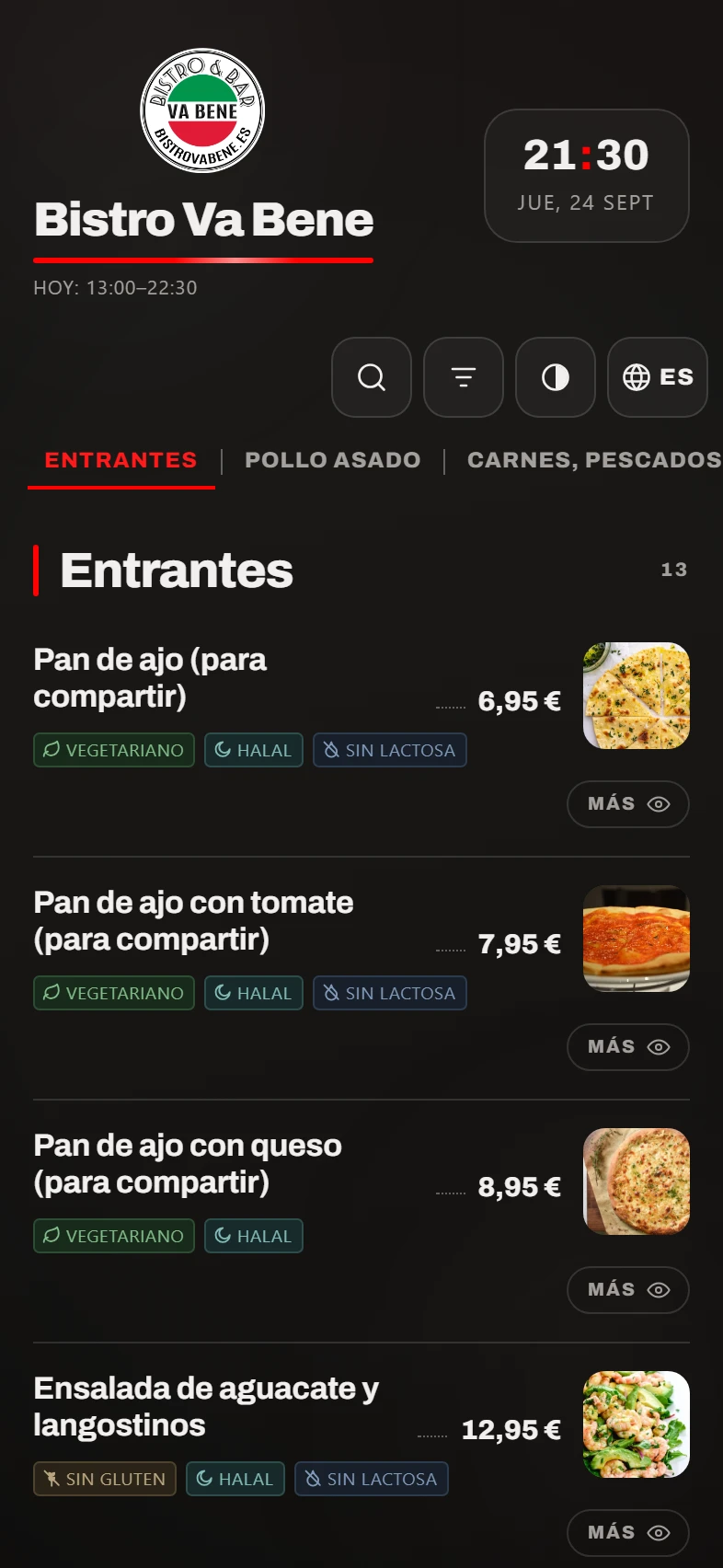
On the table menu, with photos or text only, as you prefer. On a seventy-dish menu, text only reads much better on a phone — and that’s your call, not ours.
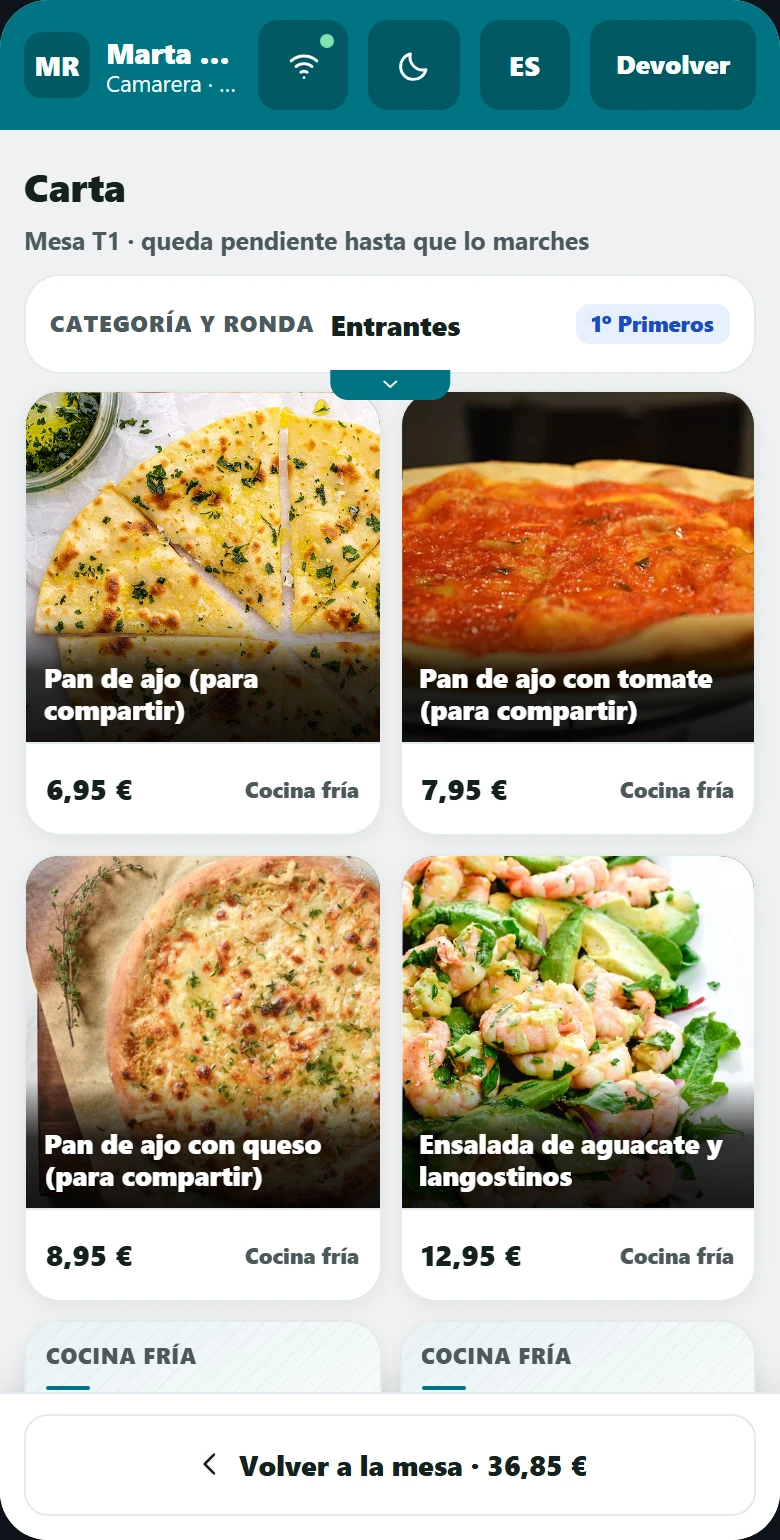
And the same menu on the handheld. If they were separate, three months later the customer would be seeing a price that doesn’t match their bill.
What it doesn’t do
Four things that aren’t there, and one is on purpose.
We’d rather you found out here than in your second week.
We don’t take the photos.
We build your menu with the photos you give us. If you haven’t got any, the menu looks great with text only — and a bad photo sells less than no photo at all.
The translation needs checking.
Machine translation gets it right almost every time, and where it slips up is precisely the names of your dishes. That’s why it doesn’t publish itself: you can correct every text first.
It doesn’t do recipe costing or cost per dish.
It tells you what you sell and at what price, not what it costs you to make it. The margin per dish doesn’t come from here.
In the app prices are changed one by one.
There’s no bulk price increase, and that’s deliberate: a wrong price in the app means a sale for an amount you didn’t want. The table menu does have one, because nobody buys through it.
How it fits in
The menu is at the centre of everything else.
Whichever modules you take, they all read from this menu.
QR table menu
The same menu, on the phone of the customer sitting at the table. It can have its own prices.
Orders and delivery
What gets ordered for delivery and for collection comes from here, with whatever you leave visible on each channel.
POS and handheld
The waiter orders from this very menu, and the line price comes from the menu, not from the device.
What you need
Your menu, however you have it.
The current menu
On paper, as a PDF or in photos from your phone. We type it up.
Photos, if you have them
Better at 1000 × 1000 px or more: on a big phone, a small photo looks blurry.
The allergens
If you haven’t got them written down, we’ll show you in the demo how to do it without losing your mind.
Nothing else
We do the setting up; you just change prices afterwards.
FAQ
What people ask us about the menu.
How long does it take to set up my menu?+
It depends how long it is. In the demo we look at it and give you a firm date before we start, not a “we’ll let you know”.
Can I have a dish for delivery only?+
Yes. Every dish (and every whole category) can appear only on the channels you choose: table, collection or delivery.
How do the sizes work?+
You set the price of each size, not a surcharge. In the list the dish shows as “from €8.00” and the customer picks theirs when they open it.
And if a dish can be made vegan on request?+
You mark it as “on request” and you can add the sentence that explains it: “we serve it without the cheese if you tell us”. The customer knows what they can ask for and the kitchen knows what they’re going to be asked.
Who can change the menu?+
Whoever you say. Each member of staff signs in with their own login and sees only the sections you’ve given them.
The demo
We’ll build part of your menu so you can see it.
Half an hour, no strings attached and nothing to install. If it’s not right for you, we’ll tell you.