


Table menu · sold on its own, no app needed
QR code menu for restaurants:
the customer scans and reads
The table menu, on the customer’s phone. They install nothing, they don’t sign up, and you don’t ask for their email in exchange for seeing the prices.
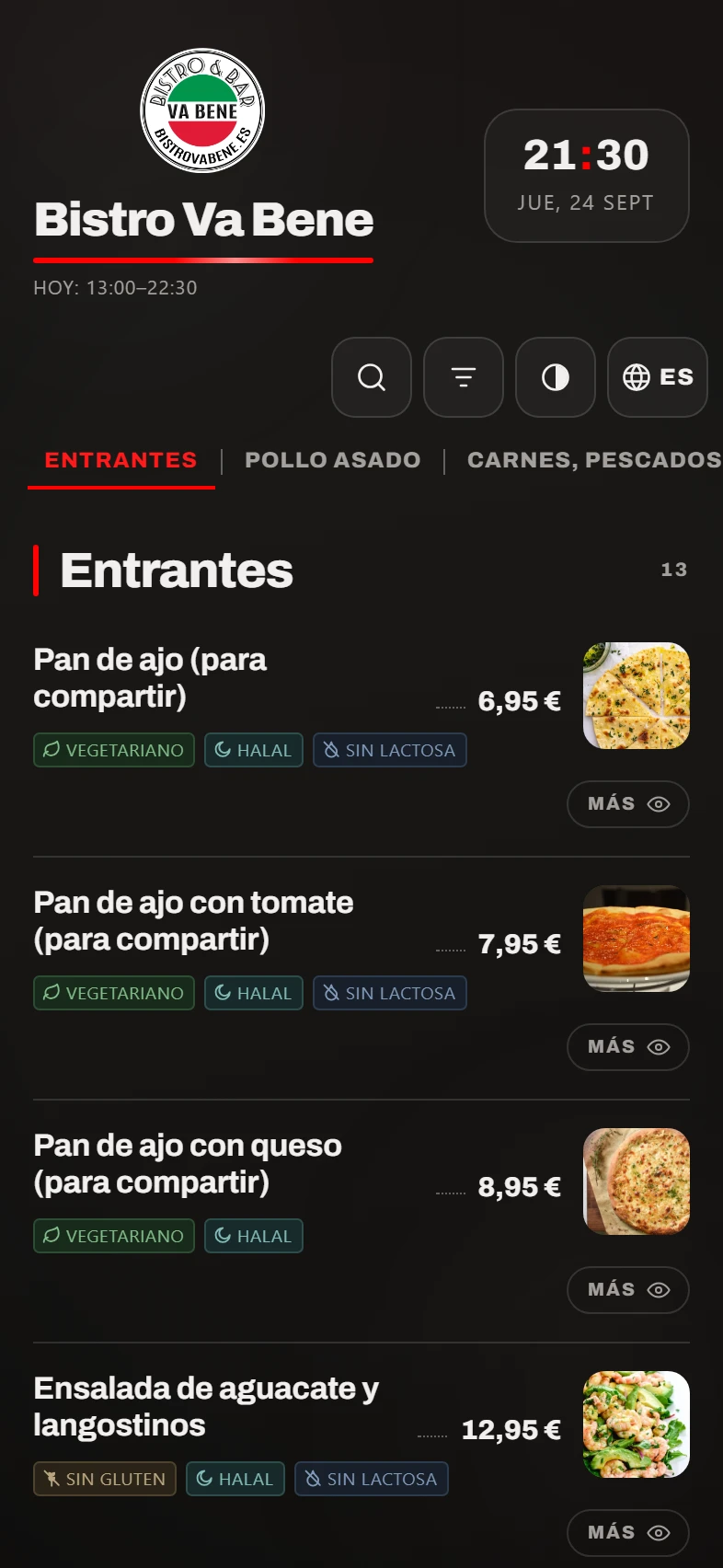
A day with it
They sit down, scan, and they’re already reading.
You put the QR on the table
One sign per table, printed from the panel. The code never changes: if you change the menu, the sign stays as it is.
They scan with the camera
It opens in their phone’s browser, with nothing to download. It loads like a web page, not like an app.
They read what interests them
They search by name, filter out what they can’t eat, and open a dish if they want to see it bigger.
They order from the waiter
You can’t order from it, and that’s deliberate: they read in their own language and order from a person. The waiter takes the order as usual (or on the handheld, if you have the floor module).
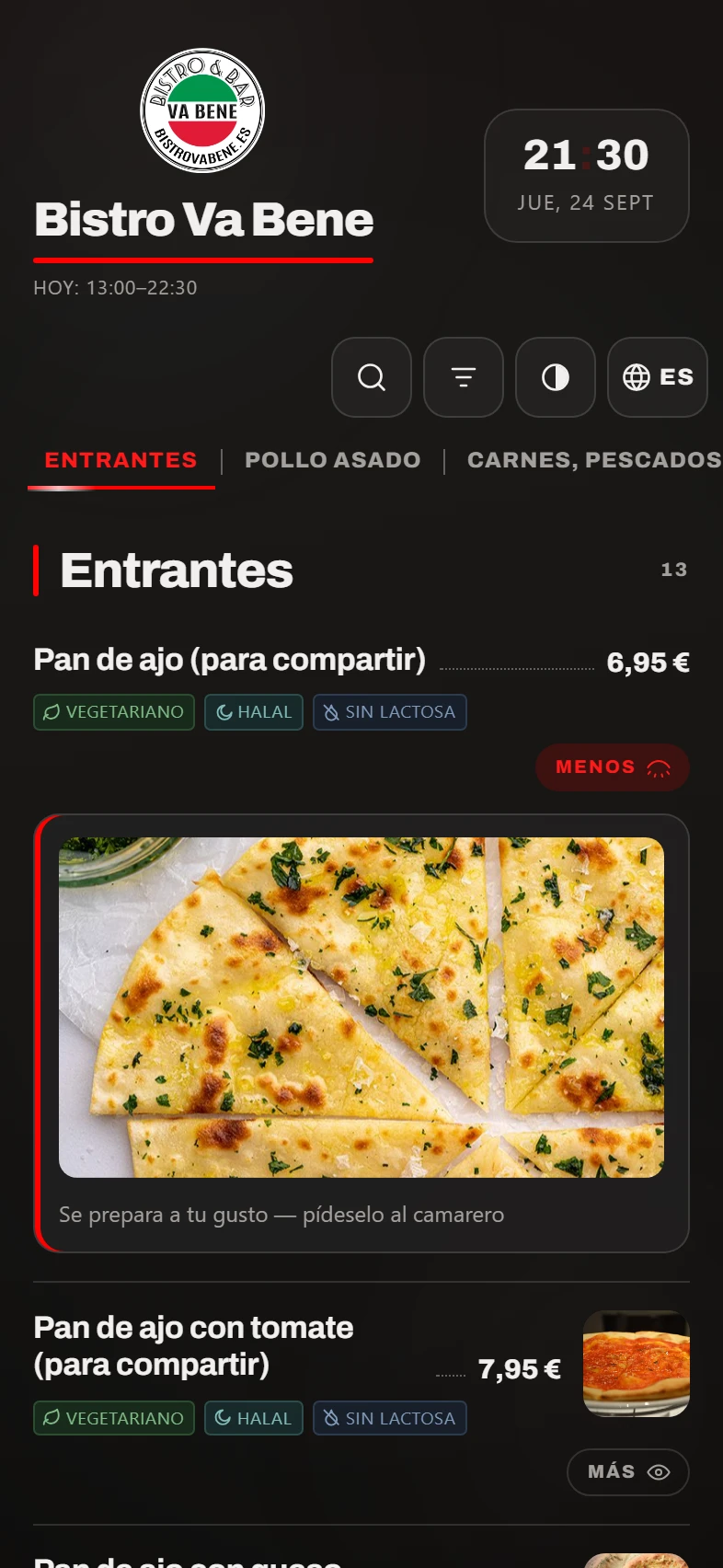
A dish page. You set the diet and allergen tags (gluten-free, lactose-free, vegan) once and they show up here, which is where people look. They are for guidance only: what your kitchen says still has the final word.
What it solves
Three things a paper menu doesn’t do.
“I’ve put the prices up and I’ve got 60 menus printed.”
You change the price in the panel, publish, and it’s changed on every table. No reprinting, no stickers, and no old menu doing the rounds at the bar.
“Tourists can’t make head or tail of the menu.”
The menu is in six languages and everyone sees it in theirs. You translate it from the panel, you can correct every text, and it goes live when you publish, not before.
“They ask me about the allergens at every table.”
Every dish carries its tags (vegetarian, gluten-free, lactose-free, halal…), and the customer can filter out what they can’t eat. You tick them once.
In detail
It’s a menu, not a form.
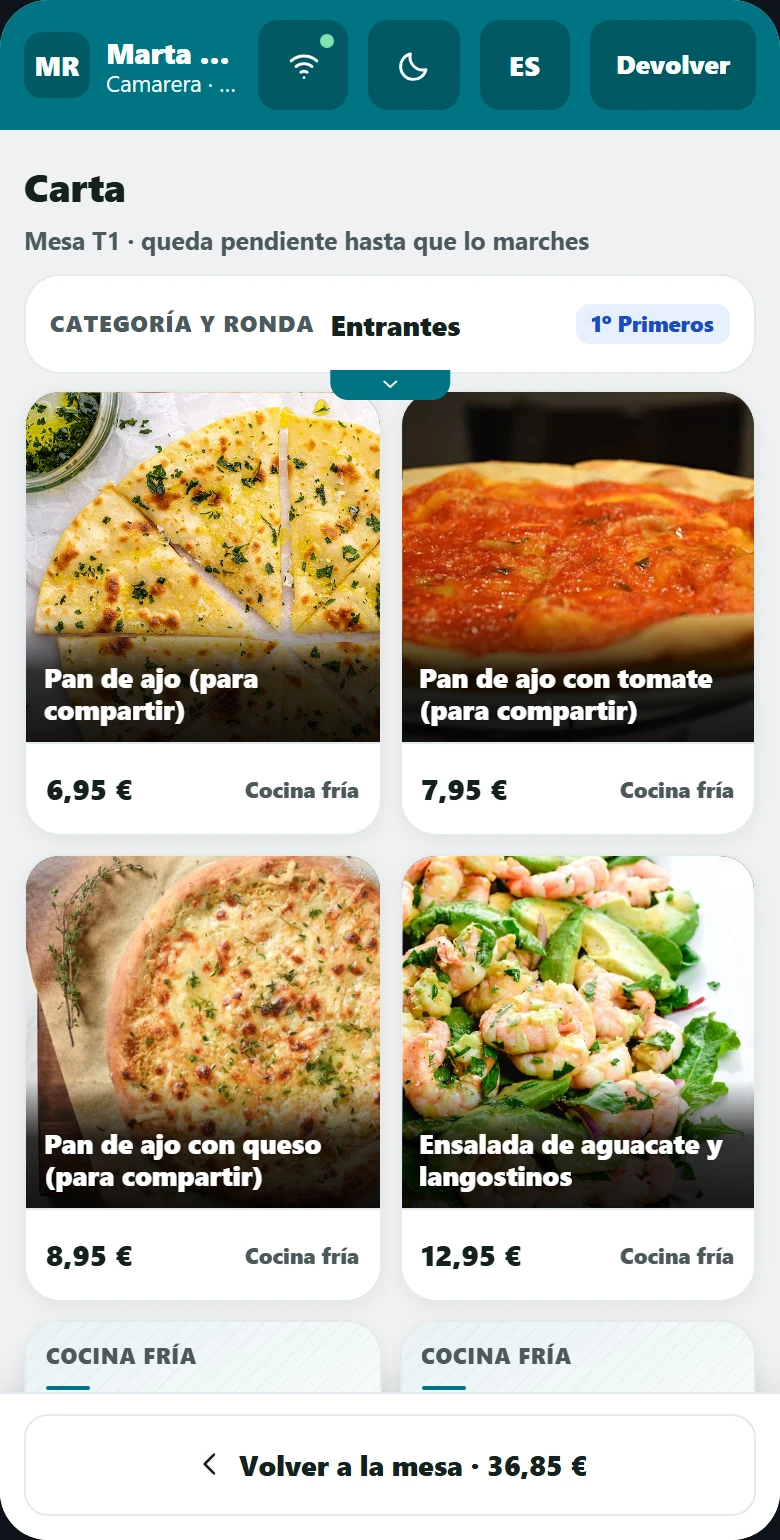
And it’s the same menu the waiter sees on their handheld. One single menu to keep up to date: if they were separate, three months later the customer would be seeing a price that doesn’t match their bill.
What it doesn’t do
Four things it doesn’t do, and one is on purpose.
We’d rather you found out here than in your second week.
You can’t order from the QR menu.
It’s for reading. That’s a decision, not a gap: at the table the customer reads in their own language and orders from a person. If you want them to order from their phone, that’s the Orders module.
No extras and no customisations.
There’s no “no onion” or “with chips”. Anything the customer wants changed, they tell the waiter, who notes it down.
It doesn’t know who the customer is.
It asks for no email and no phone number, and keeps nothing about them. Which also means it doesn’t give you a customer list: that’s what the app is for.
You need a signal at the table.
It opens over the internet, on the customer’s phone. In a basement with no signal and no WiFi for customers, a paper menu still wins.
How it fits in
It already works on its own. With the rest, even better.
The QR menu is sold on its own. It’s the simplest way to get started.
POS and handheld
The customer reads the menu on their phone and the waiter takes the order on the handheld, with the same menu and the same prices.
The menu
Where all of this is edited: prices, photos, tags, languages and what appears on each channel.
Orders and delivery
The day you want them ordering from their phone too, you just add the module: the menu is already done.
What you need
Practically nothing.
A sign per table
Printed from the panel, with your logo. A sheet of paper and a menu holder will do.
Your menu
Send it to us however you have it (on paper, as a PDF or as photos) and we build it.
Nothing on the customer’s phone
No app, no sign-up, no account. They open the camera and that’s it.
Nothing in the venue
There’s no device to install and nothing to touch on your network.
FAQ
What people ask us about the QR menu.
Does the customer have to install anything?+
No. It opens in the browser their phone already has. No app, no sign-up, no email. That’s exactly what makes people use it instead of closing it.
Can I have different prices from the app’s?+
Yes. The table menu can have its own prices, and also dishes that only exist at the table (the set menu of the day, the house tapa). And you can raise them all at once by a percentage, something we deliberately don’t allow on the app menu.
How long does a change take to show?+
As long as it takes you to press publish. Until you publish, the customer keeps seeing the previous version, so you can leave the menu half done without anyone noticing.
Can it be shown without photos?+
Yes, and on a long menu it reads much better. You choose whether the table menu shows photos or text only.
And if a dish runs out?+
You mark it as sold out in the panel (from your phone too), publish, and it disappears from the menu there and then. It’s one of the most-used features on a Saturday.
The demo
We’ll build your menu and show you the QR.
Half an hour, no strings attached and nothing to install. If it’s not right for you, we’ll tell you.