


Reservations · includes your app and the menu
Table reservations
with no commission per guest
Your customers book in your app, not on a portal. You decide whether they confirm themselves or one by one, and the answer reaches the customer on their phone.
A day with it
From the customer's phone to their table.
Books from their phone
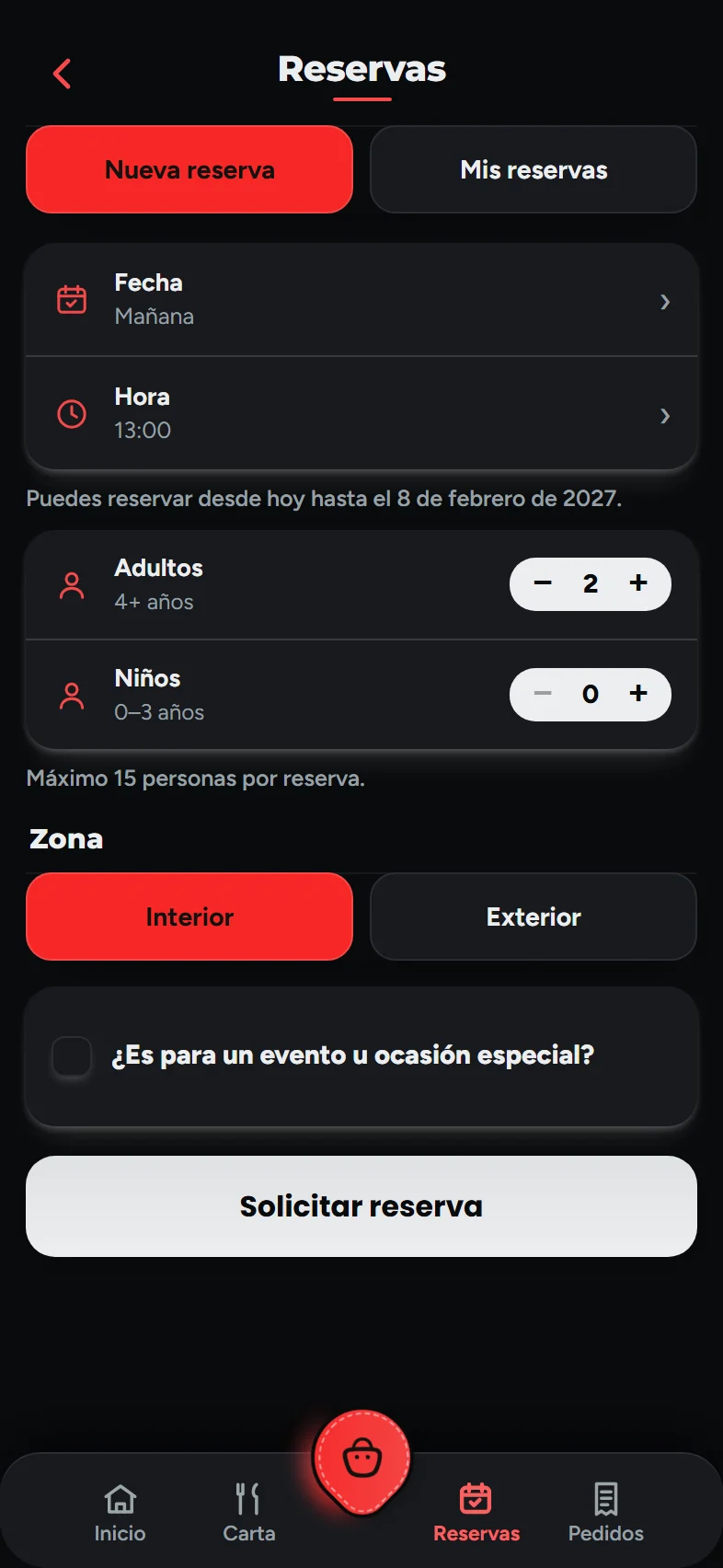
They pick the day, the time, how many they are —adults and children, and whether they need a high chair—, indoor or outdoor, and whether it's a special occasion. Only your opening hours are offered.
It reaches you instantly
It appears on its own in the panel, with its sound, without reloading anything. With automatic confirmation, if the slot has room it's confirmed; if not, it waits for you.
The customer finds out
Confirmed or rejected —with a reason, which is required—, they see it in their app straight away. And if you switch it on, it reminds them 24 hours and 1 hour before.
They arrive and sit down
You mark who came and who didn't. If you have the POS, the till shows the day's reservations and you seat whoever arrives at their table.
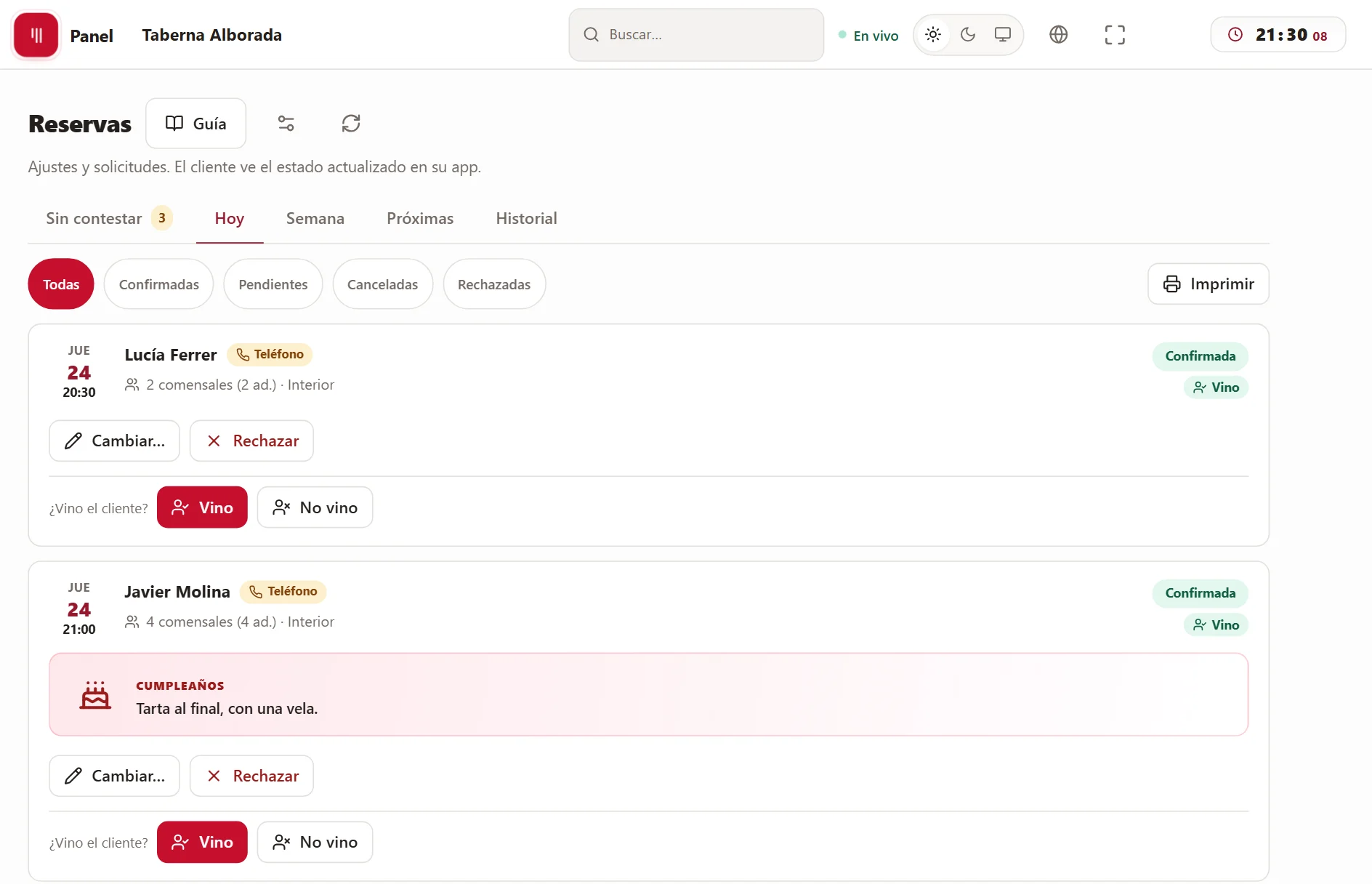
Tonight's dinner in the panel: who has already arrived, who is coming and the 9 pm birthday with its note, so nobody finds out at dessert.
What it solves
What a reservation costs you today.
“The portal charges me for every guest I seat.”
Here you pay a fixed monthly fee and nothing per guest or per booking. And the customer who books is yours: they go into your customer list, not the portal's.
“I write phone bookings in a notebook.”
Phone bookings and walk-ins go into the Counter, in the panel or at the till, and appear in the same list as the app ones. One list, not three.
“On Saturdays the terrace fills up at nine and the kitchen can't keep up.”
You set the maximum reservations for each time slot. When that day fills up, the app stops offering it —and the next day it's free again—, and the customer can join the waiting list: if someone cancels, the first in line is notified.
In detail
The reservation, from start to finish.
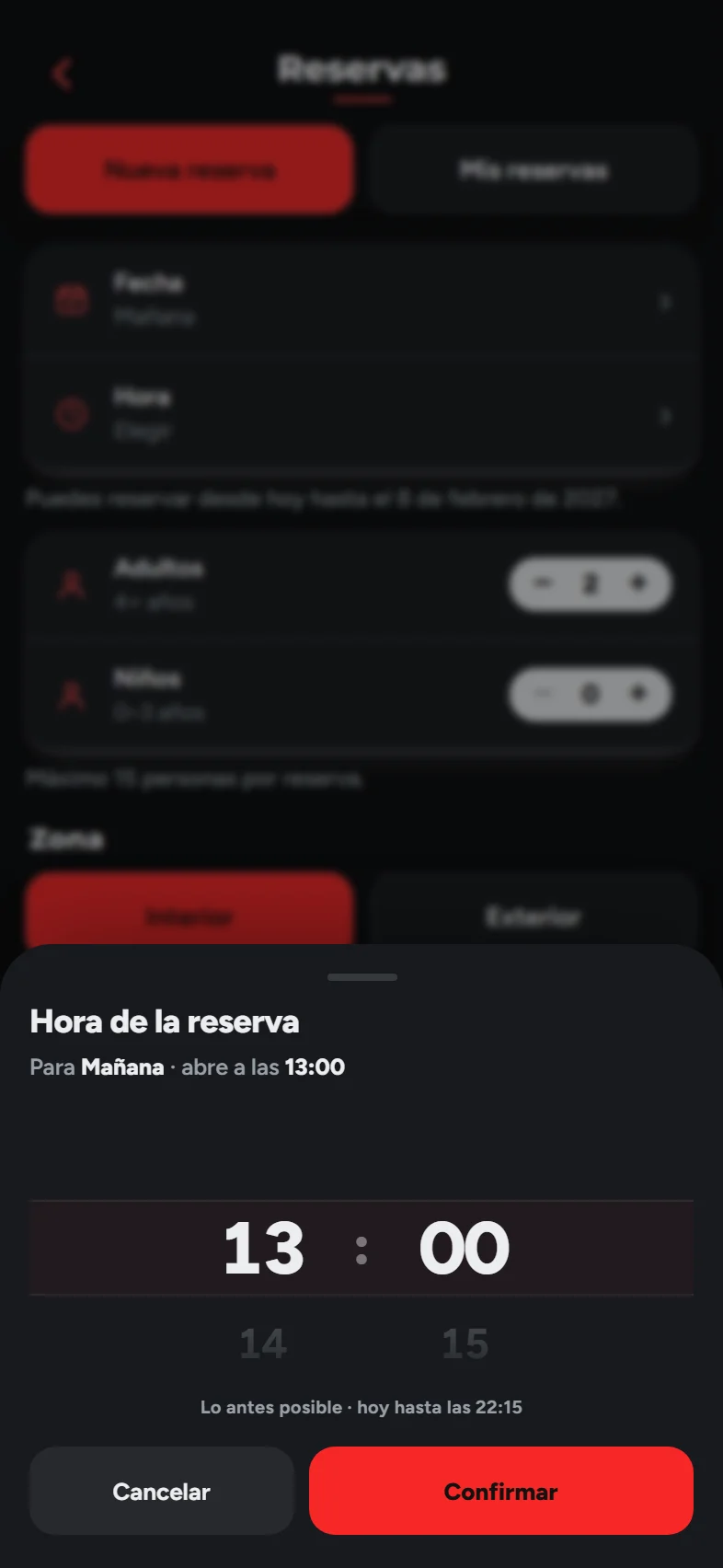
The app only offers your opening hours, and only up to the day you decide: if you take bookings two months ahead, nobody books you for next summer.
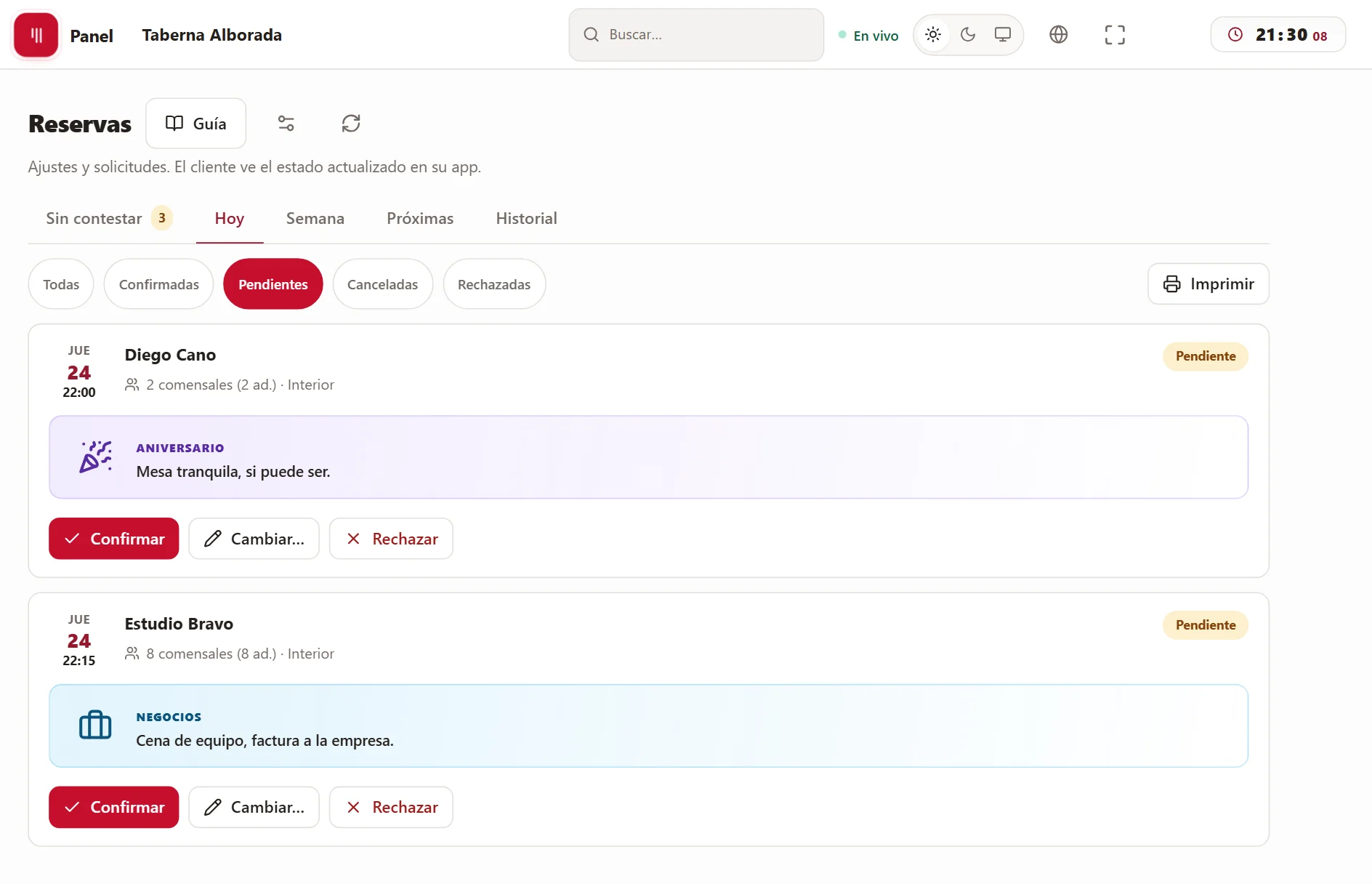
What's waiting for your answer is under “Unanswered”, oldest first. One tap and it's confirmed; if you reject it, a reason is required and the customer reads it in their app.
What it doesn’t do
Four things you should know first.
We’d rather you found out here than in your second week.
We don't bring you customers.
We're not a portal with a shop window of restaurants: bookings come from people who have your app or your link. That's exactly why we don't charge you per guest.
No deposits.
A reservation carries no prepayment and no penalty for no-shows. What you do keep is the record: who came and who didn't, so you decide next time.
It doesn't assign tables by itself.
The booking says how many and whether indoor or outdoor; you choose the table when they arrive, at the till. There's no floor plan that fills itself with tonight's bookings.
It doesn't connect to the portals.
Bookings made on a portal or on Google stay there. Here come the ones from your app, the phone and the door.
How it fits in
The booking is only the start of the evening.
Reservations come with your app and the menu included. The rest can be added when needed.
The menu
Included: whoever books sees in the same app what they're going to eat, with photos and allergens.
POS & handheld
With the floor module, the booking reaches the till: you see who's coming, seat them at their table and the bill starts there.
Orders & delivery
If you also take orders, it's the same app: whoever books on Friday orders delivery on Sunday.
What you need
Less than you'd think.
Your menu and your logo
With that we set up your app and the panel. You don't have to touch anything.
Your hours and your capacity
When you open and how many bookings you take in each slot. You can change it whenever you like.
A phone or tablet
To watch bookings come in and answer them. The one you already have at the bar will do.
FAQ
What people ask us about reservations.
Do they confirm themselves or do I confirm them?+
You choose. With automatic confirmation, an app booking is confirmed straight away if its slot has room; switched off, each one waits for you to confirm it.
Can the customer change or cancel it?+
Yes, from their app, up to as many hours before as you say. If the number of guests goes up on an already confirmed booking, it goes back to pending for you to check.
And phone bookings?+
They're entered in the Counter and go into the same list. There you can choose any date, and a group above the maximum the app accepts: the limit is for the app, not for you.
What language does the customer book in?+
Their phone's: the app is in Spanish, English, German, French, Russian and Dutch. You see everything in yours.
Can children and high chairs be added?+
Yes: adults and children separately —you decide up to what age counts as a child— and, if you have high chairs, how many they need. If you don't, the app doesn't offer them.
The demo
We'll show you your app booking a table.
Half an hour, no strings attached and nothing to install. If it’s not right for you, we’ll tell you.